To assign users to a project as an admin, follow the steps given below:
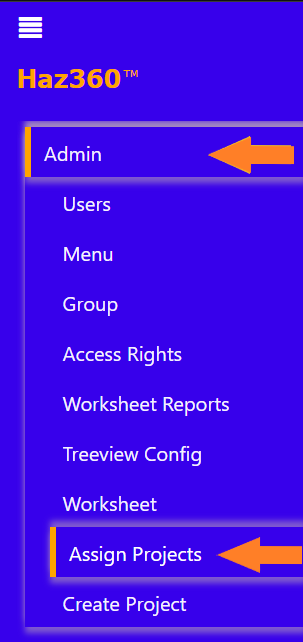
Navigate to the ‘Admin’ tab on the screen’s left-hand side.
Under the ‘Admin’ tab, select ‘Assign Projects’.
The ‘Assign Projects’ will prompt a page which contains list of all projects done within Haz360®. Click on ‘Add Users’ corresponding to the project to which users have to be assigned.
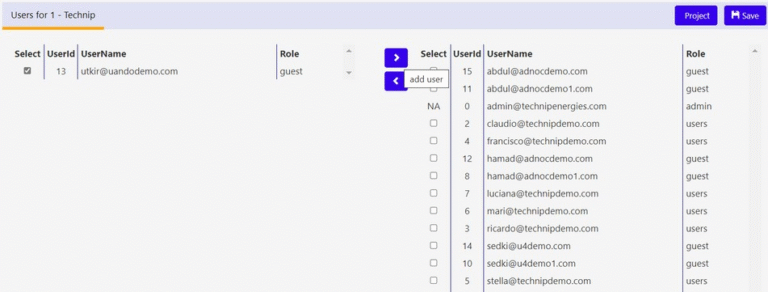
The list of users who have no access to the project will be located to the left-hand side of the screen and the list of users who have access to the project are located to the right-hand side of the screen.
After checking the ‘Select’ Box you can move the users between the two lists.
Note that ‘<‘ button is for moving users from right to left and ‘>’ button is for moving users from left to right.