How provide Access Rights for Worksheet for different user groups/Individuals?
Access rights are provided to different user groups (Admin, Release 2.0, guest users etc) and this will decide which user group will have access to tabs (Worksheets, Reports etc).
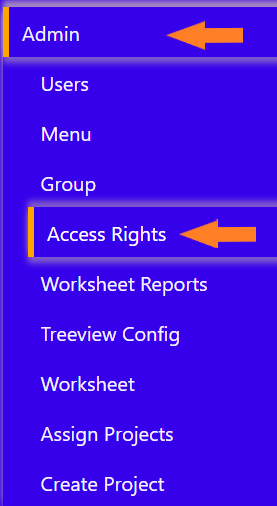
To the left-hand side of the screen click on ‘Admin’ tab and select ‘Access Rights’ subtab.
It will prompt a screen where you can assign Access Rights.
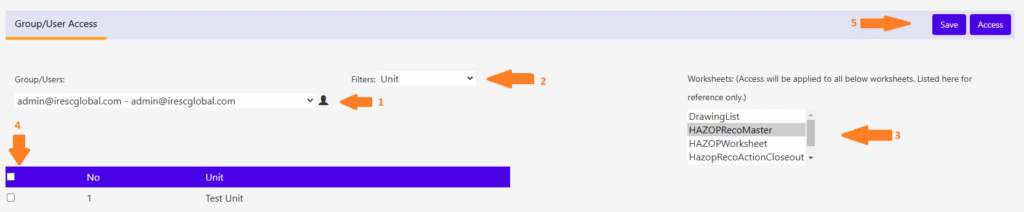
Click the top right button “Worksheet Access” to Enter/Edit Worksheet rights for user/group. The screen will be displayed as below.
Select the Group/User to which the access is to be applied.
Select the Filter/Level on which the restriction is going to be applied.
Select the worksheet(s) to be applied on.
Select the data to be restricted.
Upon selecting all the optiions click “Save” button on top right to apply the access rights for that options.