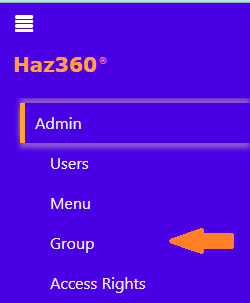
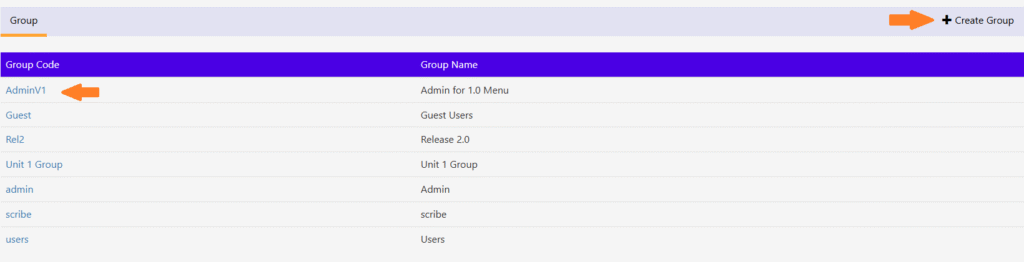
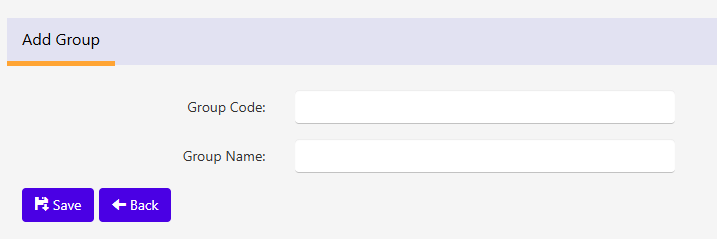
Group/Role To Create/Edit the Group/Role, follow the steps given below:Under the ‘Admin’ tab, select ‘Group’. The below screen will be displayed. Click on the code to edit the Group details. To create new Group click on the “Create Group” button on top right. The below screen will be displayed. Enter/Edit the required details and click “Save” to save the details.