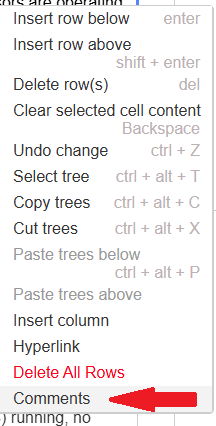
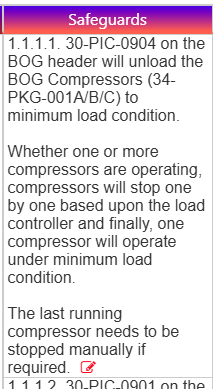
Worksheet – Comments for displayed Data This feature allows the user to enter comment for each data on worksheet.On right clicking any cell on the worksheet you can see the option like Comments On clicking Comments option a popup window will be opened to enter user comment with already existing comment as log(if any) as shown below. On adding comment, the edit icon will be added at end of data to denote that there is a comment for this data as shown below.