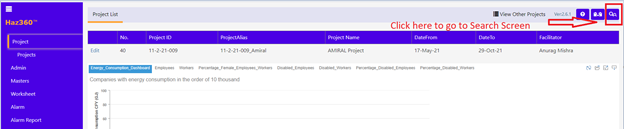
·The Global Search icon is available as shown below.
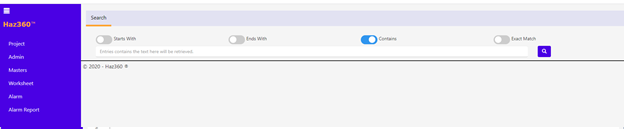
Screen like below will be displayed on clicking the search icon.
With Options:
Starts With – Entries with starting text as same as the content in box below will be retrieved.
Ends With – Entries with ending text as same as the content in box below will be retrieved.
Contains- Entries that has text as same as the content in box below will be retrieved.
Exact Match – Exact matches entries will be retrieved.
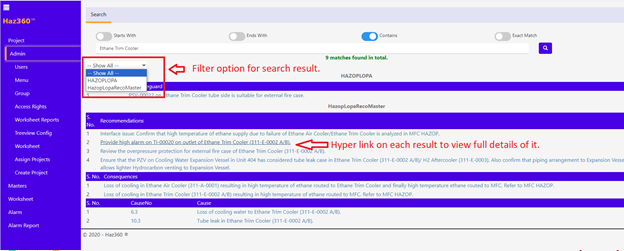
This search will happen in the Fields that has set as search fields in the Configuration of All worksheets in the entire Project as shown below.
The search result will be shown with “All” (worksheets) result as default and provided with option to filter it with worksheet name.
Ex: Below screen has search result of two groups named HAZOPLOPA & HazopLopaRecoMaster, which means those two worksheet in the project has searchable fields set. Like this we can include any number/all of worksheets in the entire project for search.
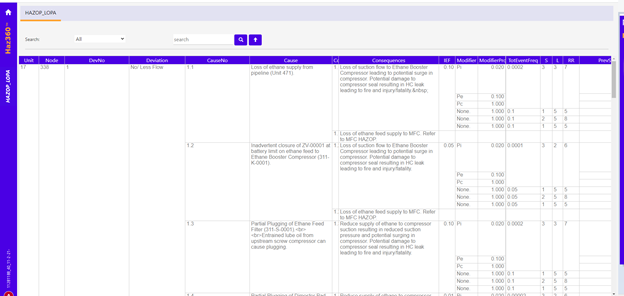
Clicking on Hyper link will take you to descriptive places used page as below.