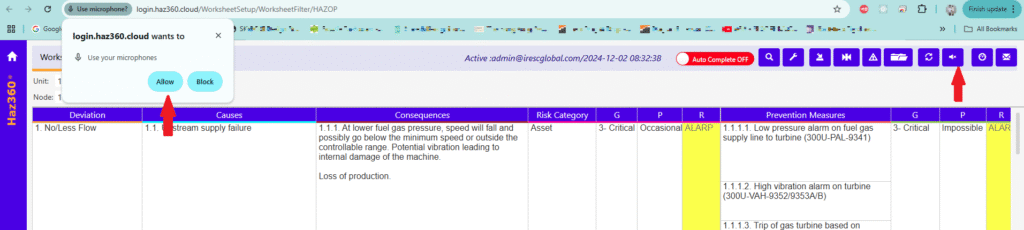
To enable/start the feature in worksheet click the “Recording On”” icon on top of the screen as shown below.
The icon will turn as below & this will start/on the mic. Please provide the access permission of mic to browser if it is prompted for access.
After the above step is done below steps with voice comments will be used to start/stop the translation to specific cell in worksheet:
Starts with – Click the specific cell in which the transcription result need to be placed. Say the voice command “360 Start typing.” to start the transcription.
Ends with – Say the voice command “360 Stop typing.” to stop the transcription and place it in the cell in which user clicked on.
To stop the mic listening to voice command press the “Recording OFF” icon on top of the screen.